See it in action
Real screenshots from the PlugNest Media Folders manager page.
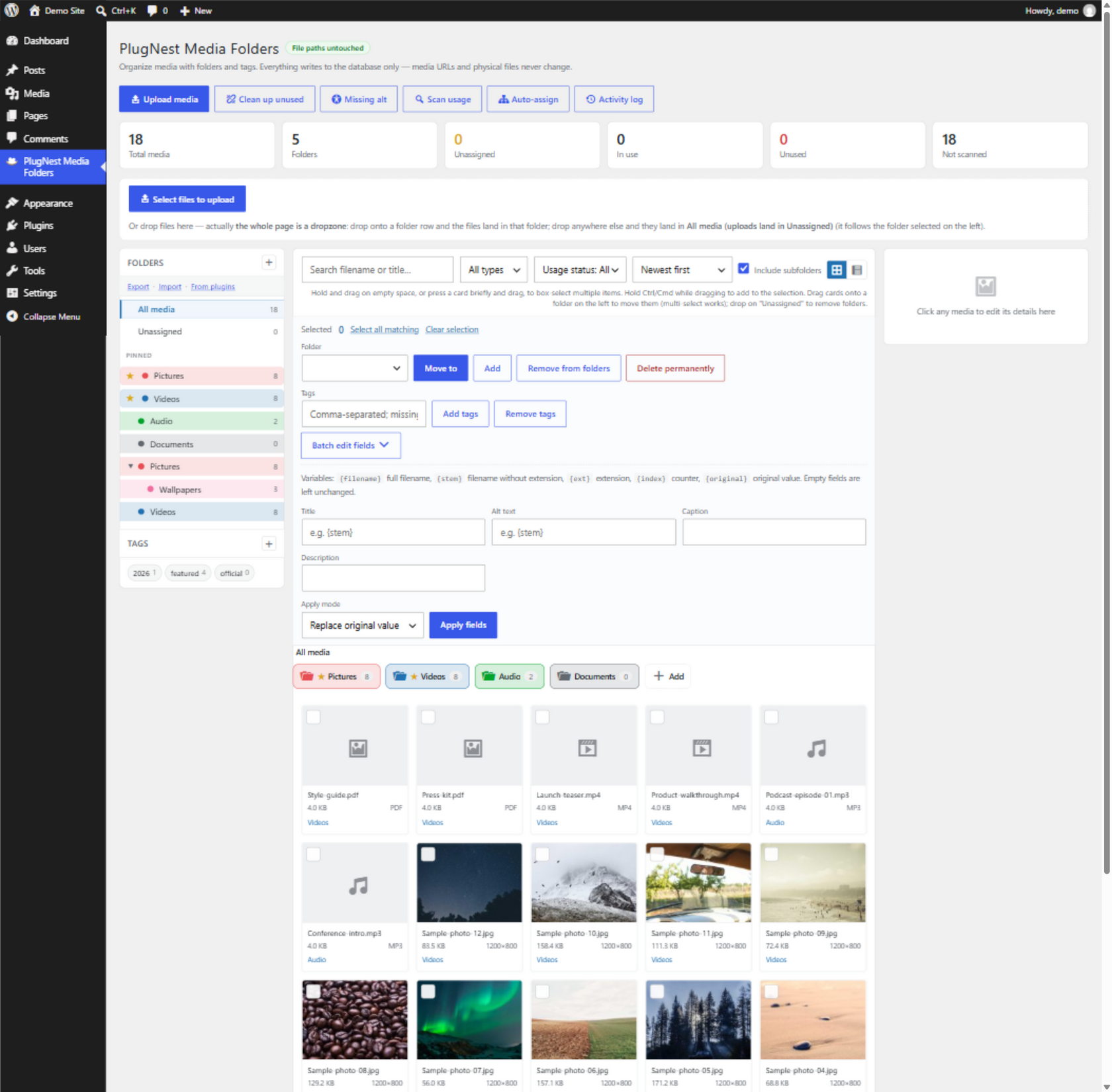
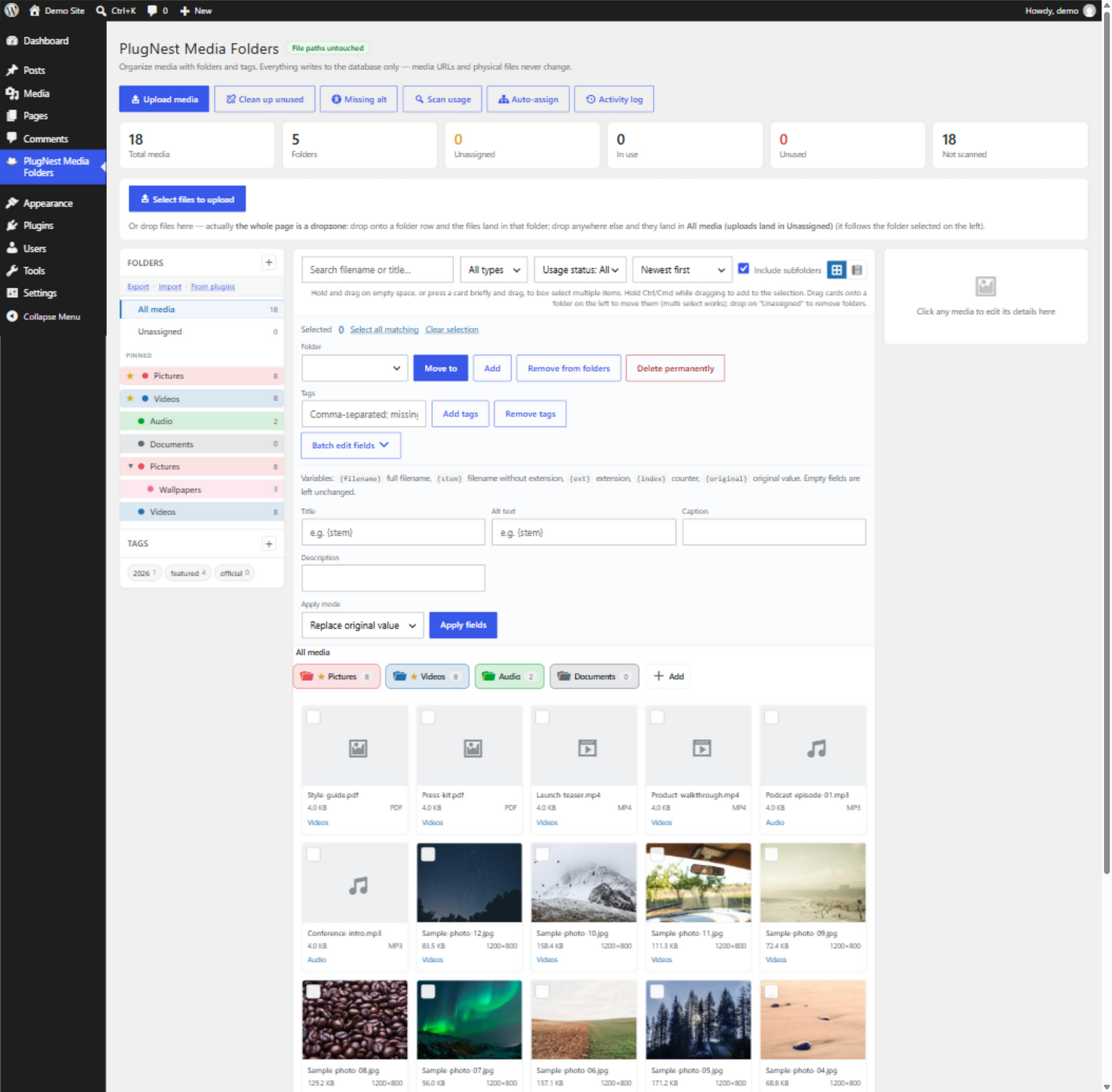
Real folders, tags, usage scanning and batch tools for the WordPress media library. Files are never moved — every URL stays exactly the same.
Works with Gutenberg · Elementor · Classic Editor · WooCommerce · the standard media modal
Real screenshots from the PlugNest Media Folders manager page.
One plugin, one page, zero files touched.
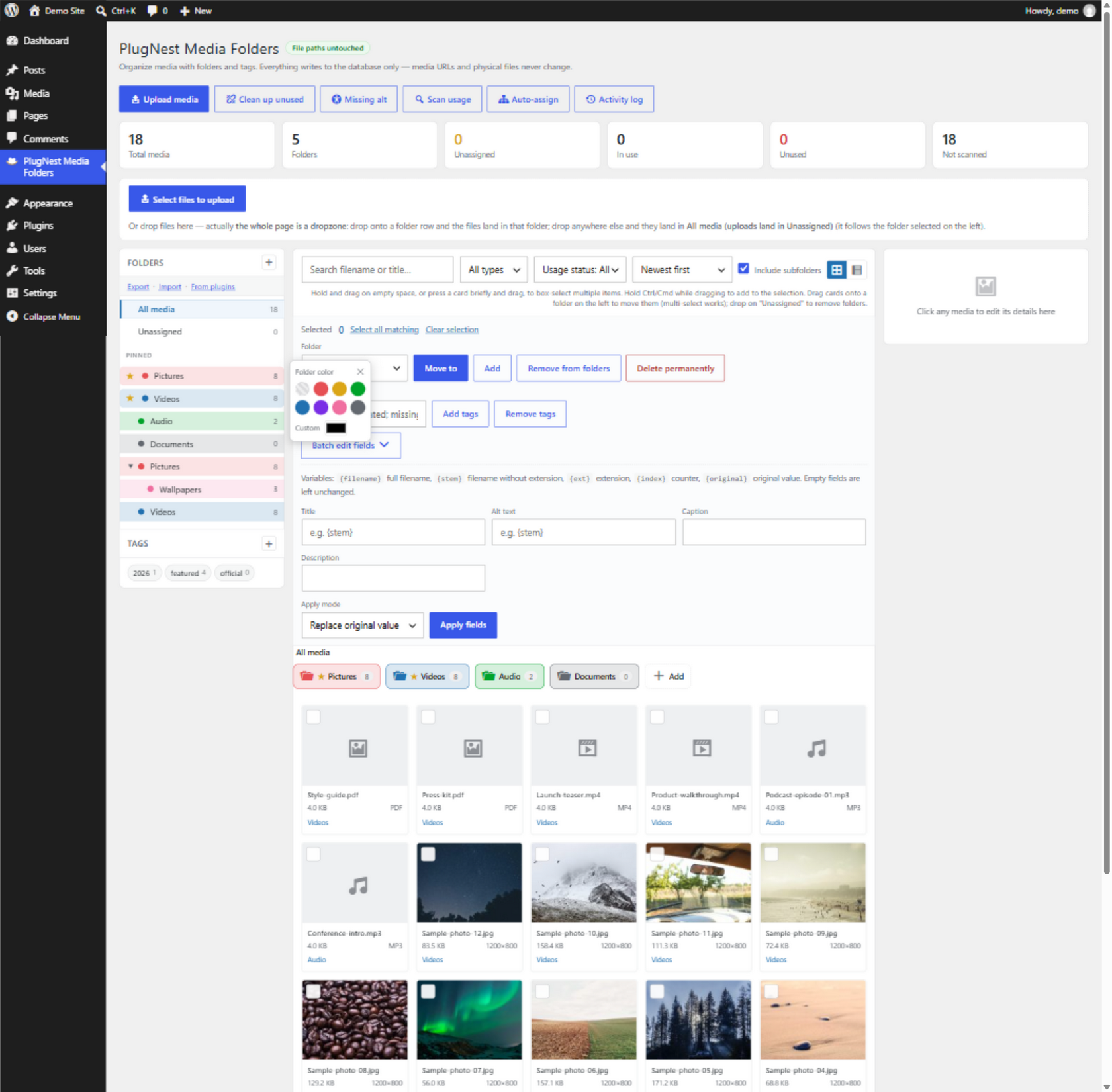
Nested folders with drag & drop, colors, and pinned favorites. Browse everything, or just one folder with its subfolders.
The same folder filters inside Gutenberg, Elementor, the Classic editor and WooCommerce — and uploads land in the folder you're viewing.
See at a glance which media are in use by your posts — and which are unreferenced and safe to remove.
Move, tag, edit or delete hundreds of files at once. Every action keeps a snapshot and can be undone in one click.
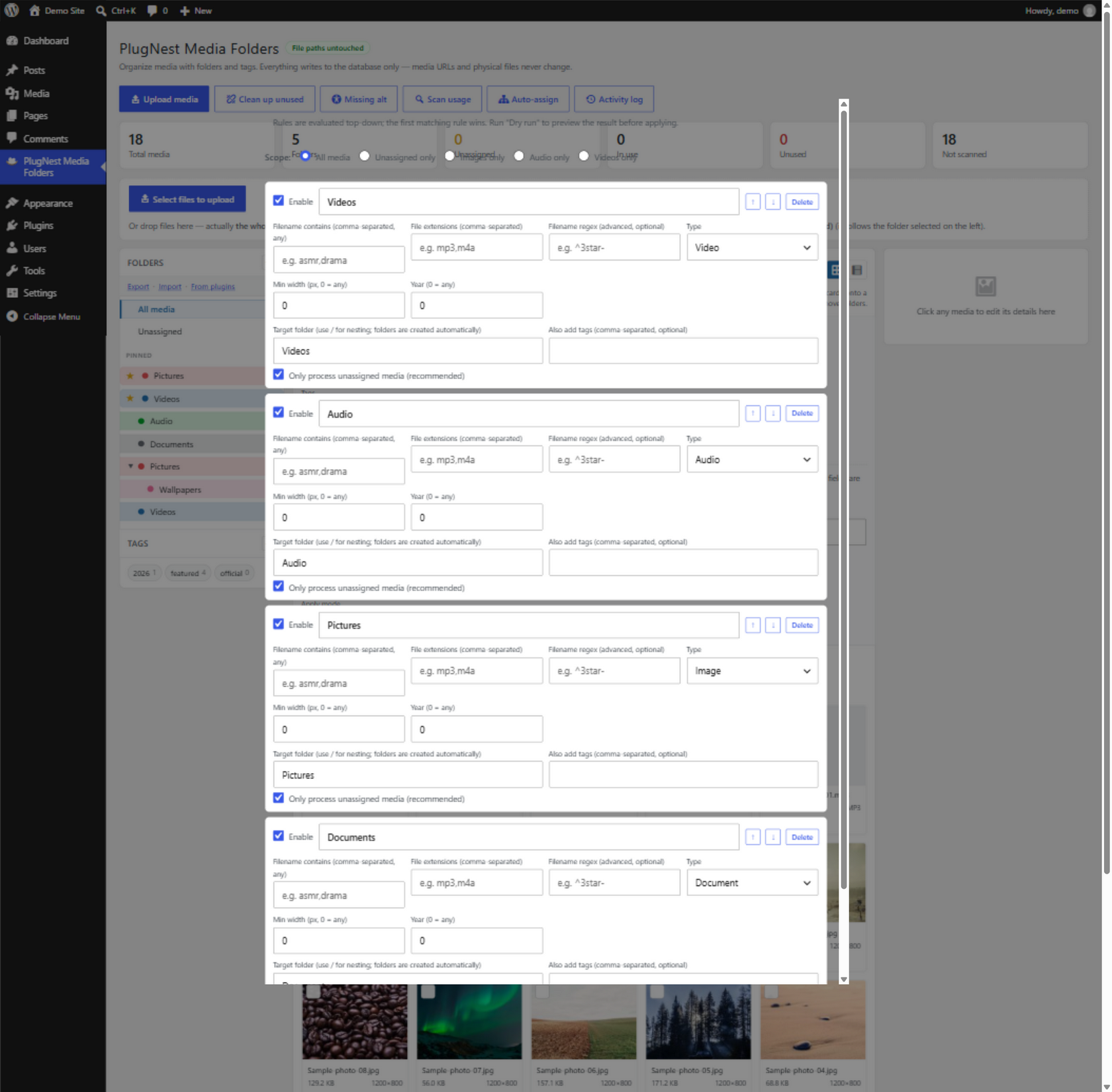
Sort uploads into folders automatically by filename, extension, type or year — with a dry-run preview before anything is written.
Find unreferenced media, review it, and remove it safely — the wizard always re-scans before deleting.
Find every image without alt text and fill them in one batch pass. Better accessibility and SEO in minutes.
Switch from FileBird, Real Media Library, HappyFiles, Premio, Wicked Folders or Enhanced Media Library in one click — idempotent, source untouched.
One license key, one site, a full year of updates and priority support.
The free version is fully usable on its own. Pro adds power workflows.
| Feature | Free | Pro |
|---|---|---|
| Nested folders, colors, pinned favorites | ✓ | ✓ |
| Folder tiles, breadcrumbs & drag-and-drop | ✓ | ✓ |
| Tags & batch editing with undo | ✓ | ✓ |
| Usage scanning & status filters | ✓ | ✓ |
| Media modal integration (Gutenberg / Elementor) | ✓ | ✓ |
| Upload into folders, file-size sorting | ✓ | ✓ |
| Cleanup wizard for unused media | — | ✓ |
| Missing-alt batch workflow | — | ✓ |
| Folder import/export (JSON) | — | ✓ |
| Import from other folder plugins | — | ✓ |
| Folder access roles | — | ✓ |
| Delete folder together with its files | — | ✓ |
Pro imports your existing folder tree — idempotent, and your old plugin's data is never touched.
No, never. Folders are a lightweight classification layer on top of the existing library. Files stay exactly where WordPress put them and every URL keeps working.
Deactivating simply hides the folders; your media is untouched. Uninstalling removes the plugin's own data only — never your files.
Yes. Unlike file-system tools, PlugNest Media Folders lets a file live in multiple folders at once.
Yes. PlugNest Media Folders extends the standard WordPress media modal, which all of them use.
English, Traditional Chinese and Simplified Chinese ship with the plugin.
One license key covers one site for one year of updates and support. Paste the key in Settings → PlugNest Media Folders Pro and you're done — the key is validated automatically in the background. When the year ends, Pro pauses until you renew — renewing restores everything instantly, and your folders and data are never touched.
If Pro is not working for you, email support@plugnest.dev within 14 days of purchase for a full refund, no questions asked. Refunds are issued in our payment provider; the license key is deactivated automatically.